Gaming
Best Gaming PC for AI and Gaming in 2026: 4 Builds That Deliver
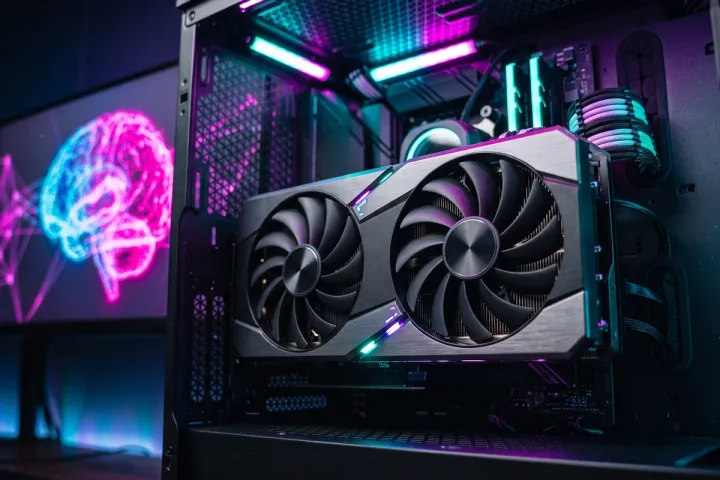
Picking a best gaming PC for AI and gaming setup used to mean choosing a GPU for frame rates and calling it done. Not anymore. Local AI tools, chatbots, image generators, voice assistants, now compete with games for the same VRAM pool, and most buyers do not realize it until their AI model refuses to load.
This shift is not hype. Tools like Ollama, LM Studio, and ComfyUI turned “running an AI model at home” into a normal weekend project in 2026, and NVIDIA leaned into it by marketing every RTX 50-series card as an “AI PC” part, not just a gaming chip. Meanwhile, gamers already own the one component that local AI needs most: a GPU stacked with fast VRAM.
This guide breaks down exactly how much VRAM each AI workload needs, then matches that math to four real gaming PC builds, from budget to enthusiast. Buy once, and you stop choosing between frame rates and running your own AI models.
Why Your Gaming GPU Just Became Your AI Rig Too
Cloud AI subscriptions add up fast, and every prompt you send leaves your machine. Running a model locally on your own gaming rig skips both problems: no monthly fee, and your data never leaves your drive.
Game studios pushed the convergence further. NVIDIA ACE puts AI-driven NPC dialogue inside games, and streamers now run local voice cloning or AI co-hosts in the background while playing. None of that is exotic anymore. It is a second workload sitting on top of your GPU while a game runs.
The catch: games and AI models both want VRAM first, compute second. A card that renders 4K at 120 frames per second can still choke on a 20B parameter model if it does not have the memory headroom to hold both.
How Much VRAM You Actually Need to Run AI and Games Together
VRAM, not core count, decides which AI models load at all. Here is what each tier realistically handles in 2026, based on 4-bit quantized models, the standard format for running AI locally without a data center.
12GB VRAM: The Entry Point
✅ 7B to 14B parameter models run comfortably ✅ Small image generation (SD 1.5-class models) works fine ❌ Long context windows get tight fast ❌ 20B-class models need aggressive compression to fit
16GB VRAM: The Comfortable Middle
✅ 14B to 20B models run with room to spare ✅ Stable Diffusion XL generates at full resolution ❌ A 32B model at 4-bit quantization already eats most of the budget
24GB VRAM: Where AI Stops Compromising
✅ 30B to 32B models run comfortably, with headroom for longer context ✅ Multimodal tools (vision plus text) fit without constant offloading 📊 This is the tier most serious local-AI users are targeting in 2026
32GB VRAM: Play at 4K, Run Almost Anything Locally
✅ 32B models run at higher-quality quantization ✅ Heavily quantized 70B-class models become possible, though tight ⏱️ Expect slower token generation at this size; VRAM headroom does not fix raw compute limits
4 Builds: The Best Gaming PC for AI and Gaming at Every Budget
Matching the VRAM math above to real hardware gives four practical tiers. None of these require exotic parts, just the right GPU for the workload you actually run.
| Build Tier | GPU / VRAM | 💰 Est. Build Price | 🎮 Gaming Target | 🤖 AI Capability | Best For |
|---|---|---|---|---|---|
| Budget | RTX 5070 | ||||
| 12GB GDDR7 | $1,450 – $1,650 | 1440p, high refresh | 12B–14B models comfortably; small image generation | Casual gamers testing local AI chat | |
| Mid-Range | RTX 5070 Ti | ||||
| 16GB GDDR7 | $1,900 – $2,200 | 1440p max settings, entry 4K | 20B–24B models; SDXL image generation with room to spare | Streamers and AI-assisted content creators | |
| High-End | RTX 5080 | ||||
| 16GB GDDR7 | $2,500 – $2,900 | Native 4K, high refresh | 24B–32B models once quantized; multitasking AI + gaming | Creators running AI image/video tools alongside AAA games | |
| Enthusiast | RTX 5090 | ||||
| 32GB GDDR7 | $3,900 – $4,600 | 4K / 240Hz+, VR-ready | Heavily quantized ~70B models; multiple models loaded at once | Power users running one rig as workstation and gaming PC |
Prices reflect a full system estimate (case, PSU, RAM, storage, cooling included), not GPU price alone. Ranges will shift once the rumored RTX 5080 Super and RTX 5070 Ti Super (24GB) ship, expected as early as this fall.
Budget (RTX 5070, 12GB): Solid 1440p gaming and a genuinely useful entry point for local chatbots or small coding assistants. Skip this tier if generative image tools are the priority, 12GB gets cramped fast with SDXL-class models.Mid-range (RTX 5070 Ti, 16GB): The sweet spot for streamers who want an AI co-host or local image generation running alongside the game capture, without a second PC.
High-end (RTX 5080, 16GB today): Native 4K gaming plus enough VRAM to run mid-size models now, with a clear upgrade path once the 24GB Super refresh lands.
Enthusiast (RTX 5090, 32GB): The only tier here that treats “workstation” and “gaming PC” as the same machine, with enough VRAM to load a heavily quantized 70B model without a second GPU.
Related: check our [GTA 6 System Requirements] breakdown for how these same GPUs perform against the most demanding game benchmark of 2026.
Beyond the GPU: RAM, Storage, and Cooling That Keep Both Workloads Happy
The GPU gets the attention, but three other parts decide whether this dual-purpose build actually holds up.
System RAM: Treat 32GB as the floor, not the target. Running a game, a browser with a dozen tabs, Discord, OBS, and a local AI model at the same time pushes past 32GB quickly. 64GB removes the guesswork.
Storage: AI model files run 5GB to 40GB each, and modern game installs regularly hit 100GB to 150GB. A single 1TB drive fills up faster than most buyers expect. Plan for at least 2TB of Gen4 NVMe storage from day one.
Cooling and PSU: AI inference keeps a GPU pinned near full load for minutes at a time, longer and steadier than most gaming sessions. Budget for a case with real airflow and a power supply with headroom, 850W or more for anything built around an RTX 5090.
The RTX 50 Super Refresh Is About to Change This Math
Leaks (not yet confirmed by NVIDIA) point to the RTX 5080 and RTX 5070 Ti getting phased out as early as October, replaced by RTX 5080 Super and RTX 5070 Ti Super cards, both reportedly jumping to 24GB of VRAM at close to the same price as today’s models.
If that pricing holds, it moves the mid-range and high-end tiers of this guide straight into the “AI stops compromising” bracket described above, without spending more money. Treat this as a reason to check pricing before buying at the 5080 or 5070 Ti tier this fall, not as a guarantee. NVIDIA has not confirmed specs or a release date.
FAQ
Do I need two separate PCs for gaming and AI?
No. Any RTX 50-series card with 12GB of VRAM or more runs both workloads on one machine. The only reason to split them is running a very large model continuously while gaming at the same time, which is a niche case for most buyers.
How much VRAM do I need to run a chatbot locally while gaming?
12GB handles a small chatbot fine on its own, but running it at the same time as a demanding game leaves little room to spare. 16GB or more gives enough breathing space for both to run without stutter.
Is it worth waiting for the RTX 5080 Super and 5070 Ti Super?
If you are buying at the 5080 or 5070 Ti price point and can wait a few weeks, yes. The rumored 24GB VRAM jump changes which AI models fit comfortably, at a similar price to today’s cards.
Can a gaming laptop handle both AI tools and gaming in 2026?
Only at the higher end. Laptop GPUs run the same architecture but ship with less VRAM and tighter power limits than their desktop counterparts, so a laptop 5070 Ti will not match a desktop 5070 Ti for either games or AI models.
The Bottom Line
There is no single best gaming PC for AI and gaming, only the right tier for your workload. Pick your VRAM tier first, based on the AI models you actually want to run, then choose your gaming resolution target within that tier. Buying backward, resolution first, VRAM as an afterthought, is how most buyers end up with a gaming PC that games great and stalls on anything AI.
Tell us in the comments which build tier matches your setup, or which AI tools you are trying to run locally, and we will help you fine-tune the pick.