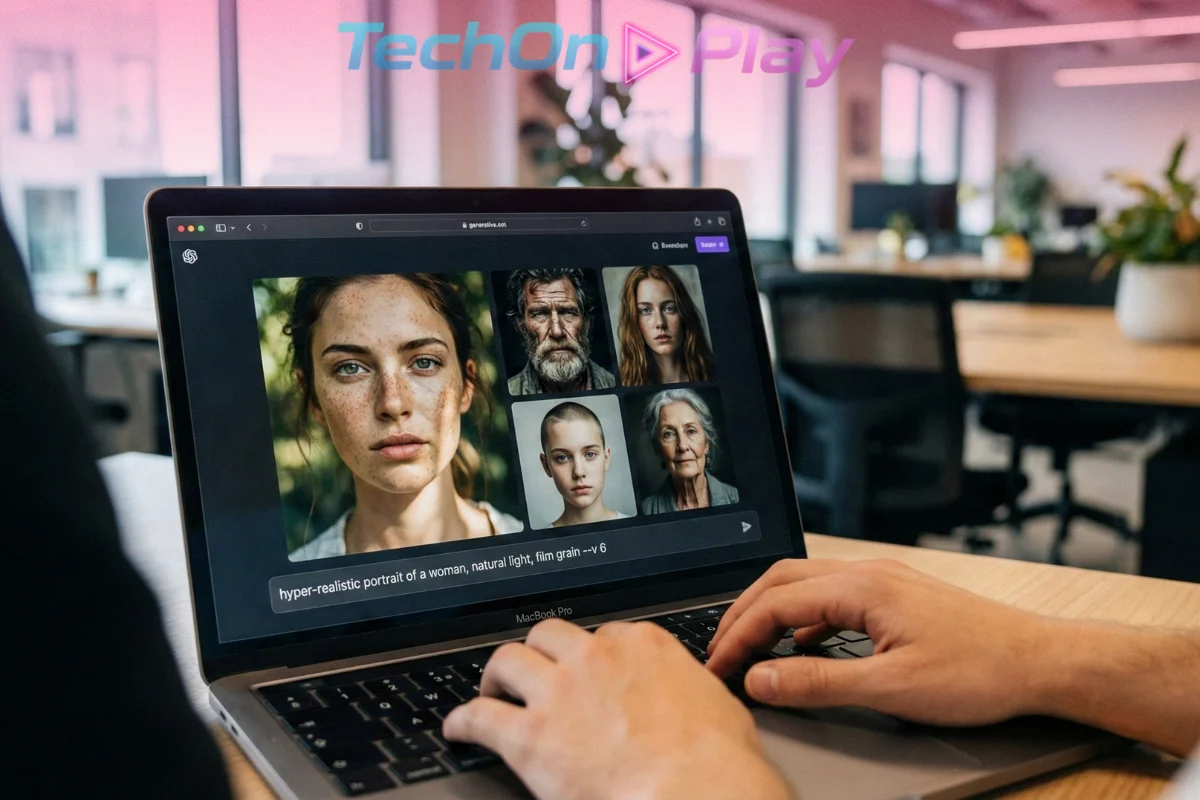
In 2026, the era of the “generalist” AI generator is dead. If you are looking for the best AI image generators 2026, the answer isn’t a single tool—it’s about finding the specific engine that creates the exact asset you need right now.
The market has shifted from novelty to precision. While older industry giants focus on artistic abstraction, a new wave of specialized tools has emerged to dominate specific verticals. Professionals no longer ask, “Can AI make this?” They ask, “Which engine handles text, vectors, or skin texture correctly?”
If you are tired of fighting with generic “plastic” aesthetics, it is time to upgrade. We analyzed the top contenders to help you build the ultimate creative stack.
1. Flux 1.1 Pro: The Standard for Realism among the Best AI Image Generators 2026
Best For: Product photography, editorial deep-dives, and concept art.
If your goal is to fool the eye, Flux 1.1 Pro by Black Forest Labs is the undisputed king. While other models smooth out imperfections to create a distinct “AI look,” Flux embraces the chaos of reality—film grain, inconsistent lighting, and microscopic skin texture.
It excels because it understands material physics. When you generate a denim jacket, it looks like fabric, not a texture map. When you render a face, the pores are visible.
Why It Wins:
- Zero “Concept Bleeding”: Complex prompts don’t merge into a mess.
- Natural Lighting: It avoids the over-saturated “HDR look” of competitors.
- Speed: Generates high-fidelity images faster than most 2025 models.
⚠️ Hardware Note: Flux is heavy. If you aren’t using the API, ensure your local GPU can handle the compute load. The latest dedicated AI chips discussed in our CES 2026 Chip Wars report are recommended for running this locally.
2. Ideogram 3.0: Finally, Text That Is Readable
Best For: Logos, T-shirt designs, posters, and marketing copy.
For years, text was the Achilles’ heel of generative AI. Ideogram 3.0 didn’t just fix this; it mastered it. This engine treats letters as physical objects, ensuring that light interacts with them correctly—whether it’s neon tubing, embroidery on a hat, or chalk on a menu board.
This is the non-negotiable tool for marketers. You can generate a coffee shop logo with the name perfectly spelled on the window in one shot. It pairs perfectly with our ChatGPT for Marketing Guide to generate both your ad headlines and visual assets in minutes.
Key Features:
- Material-Aware Text: Letters have depth, shadow, and texture.
- Style Consistency: Great for batch-creating social media assets.
- Typography Control: It respects font weights and kerning instructions.
3. Recraft: The Designer’s “Swiss Army Knife”
Best For: UI/UX icons, vector illustrations, and scalable branding.
Recraft is the sleeper hit of 2026 because it speaks the language of designers, not prompters. Unlike every other tool on this list that outputs flat pixels (PNG/JPG), Recraft creates native SVG vectors.
This is a game-changer for app developers. You can generate an icon set, export it as an SVG, and scale it infinitely without losing quality. If you are building an app, Recraft should be part of your stack alongside the other top AI Tools for Developers.
Why Designers Love It:
- True SVG Export: Essential for clean web development.
- Brand Systems: Generate 50 icons that all share the exact same line weight and style.
- Editability: You can tweak vector paths after generation.
4. Nano Banana Pro: The King of Consistency
Best For: Storyboarding, influencers, character consistency, and real-time data.
Google’s entry into the specialized market, Nano Banana Pro (powered by Gemini 3), solves the #1 problem storytellers face: Identity Drift.
Most AIs generate a “new person” every time you run a prompt. Nano Banana locks onto a character’s features and allows you to place them in 50 different scenes without their face morphing. To master this character locking, check our specific guide on Nano Banana Prompts for Lifestyle Photography.
Uniquely, it also taps into Google Search for Grounding. If you ask for a “weather map of New York right now,” it generates a visually stunning map using actual, real-time data, not hallucinated clouds.
5. DALL-E 3: The Smartest Assistant
Best For: Beginners, complex brainstorming, and conversational iteration.
If Flux is a professional camera, DALL-E 3 is a smart creative partner. Built directly into ChatGPT, it requires zero “prompt engineering” skills. You don’t need to memorize technical keywords; you just talk to it.
Its superpower is the integration with GPT-4o. You can refine an image through conversation: “Make the lighting more dramatic,” or “Remove the car from the background.” It’s the easiest entry point, especially if you already know the Best ChatGPT Prompts for 2026.
📊 2026 Tool Comparison: Which Fits Your Workflow?
| Feature | Flux 1.1 Pro | Nano Banana | Ideogram 3.0 | Recraft | DALL-E 3 |
|---|---|---|---|---|---|
| Photorealism | ⭐⭐⭐⭐⭐ | ⭐⭐⭐⭐ | ⭐⭐⭐ | ⭐⭐⭐ | ⭐⭐⭐ |
| Consistency | ⭐⭐⭐ | ⭐⭐⭐⭐⭐ | ⭐⭐⭐ | ⭐⭐⭐⭐ | ⭐⭐ |
| Text/Typography | ⭐⭐ | ⭐⭐⭐ | ⭐⭐⭐⭐⭐ | ⭐⭐⭐ | ⭐⭐⭐⭐ |
| Vector (SVG) | ❌ | ❌ | ❌ | ✅ | ❌ |
| Real-Time Data | ❌ | ✅ | ❌ | ❌ | ❌ |
Conclusion: Choose Based on Output, Not Hype
Don’t pay for a tool just because it was famous in 2024. When choosing from the best AI image generators 2026, the smart money is on specialization.
- Need a photo for a catalog? Use Flux.
- Need a consistent character for a story? Use Nano Banana.
- Need a logo with text? Use Ideogram.
- Building an app interface? Use Recraft.
- Just need a quick image for a slide? Stick with DALL-E 3.
Most of these offer generous free tiers. Start there, test the workflow, and only upgrade when the tool proves it can earn its keep in your stack.
Frequently Asked Questions
Is Flux 1.1 Pro free to use?
Flux 1.1 Pro is primarily a paid API model for professionals, but you can try the base “Flux Schnell” model for free on platforms like Hugging Face or via local installation if you have a powerful GPU (12GB+ VRAM recommended).
Can Ideogram 3.0 really spell everything correctly?
Yes, Ideogram 3.0 currently holds the industry record for text accuracy (approx. 99%). It excels at rendering complex sentences, logos, and neon signs where other models like Midjourney often hallucinate gibberish.
Does Recraft own the copyright to the vectors I create?
No. Recraft grants you full commercial ownership of the assets you generate, even on the free tier. This makes it safe for client work, logo design, and app development without legal headaches.
How does Nano Banana ensure character consistency?
Nano Banana (powered by Gemini 3) uses a “Character Reference” system. You upload a reference photo or generate a base character, and the AI locks those facial features as a fixed variable, allowing you to change the background, clothing, or lighting without changing the person’s identity.
Why does DALL-E 3 sometimes refuse to generate my prompt?
DALL-E 3 has the strictest safety filters on the market to prevent copyright infringement and unsafe content. If your prompt includes public figures, specific artists’ names, or sensitive topics, the system will rewrite or block it automatically.
📚Further Reading
- Vercel v0 AI Code Generator: Ship Next.js MVPs Faster [2026 Check]
- Anthropic Hits $350B Valuation: The Anthropic Claude vs ChatGPT Enterprise 2026 Migration

- Claude Code leak Anthropic: Crisis Exposed & Impact on US Devs
- Fix iPhone DarkSword iOS 18: Stop the Silent Hack Now

- OpenAI Sora Shut Down: Why The Top AI Video App Is Dead