
Trends
Ghostface AI Photo Trend: Exact ChatGPT and Gemini Prompts
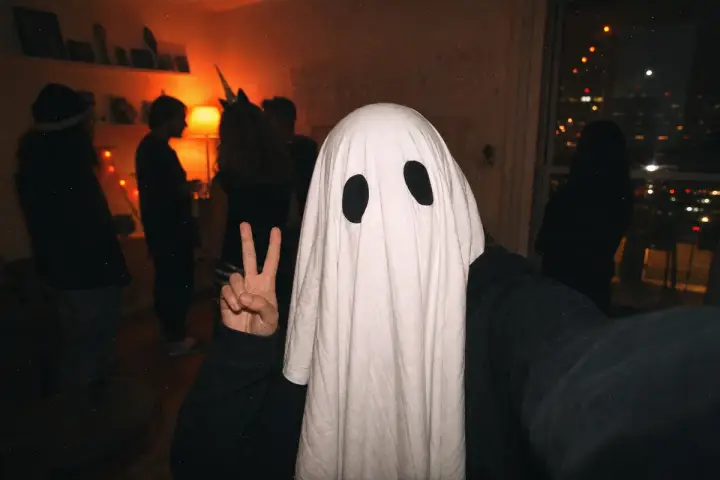
Halloween is 17 days away, and one Ghostface AI photo trend is back in the feed: you upload a selfie, and the AI turns it into a grainy, flash-lit slasher-movie still with a white-masked figure lurking behind you.
The idea is simple, but the prompt wording decides whether you get a convincing late-90s horror frame or a plastic-looking mess. ChatGPT and Gemini also react differently when a real face is attached, so below are one prompt built for each tool, six variations, and the fixes for the usual problems.
A quick note on naming: “Ghostface” is a character from a film franchise, so the prompts below describe a generic “ghost-mask slasher look inspired by 90s horror.” The results are fan-style Halloween images, not official artwork from any studio or brand.
What the Ghostface AI Photo Trend Is
The trend mixes two looks people already know from our 90s AI photo trend guide: a Y2K or late-90s bedroom, hallway or party photo, and a horror twist, usually a masked figure standing in the background of an otherwise normal selfie.
Several tool blogs describe the format as circulating for Halloween, and Google has published a Halloween prompt guide for Gemini that includes a Y2K-style portrait with a ghost in a doorway behind the subject. That is the same structure, which is why this kind of image keeps returning every October. We could not verify any view counts, so treat claims that it is “the most shared” image of the season with caution.
The Exact ChatGPT Prompt
ChatGPT is stricter when a real face and a detailed description of that face show up together, so this prompt leads with the scene and tells the model to carry over the face from your photo.
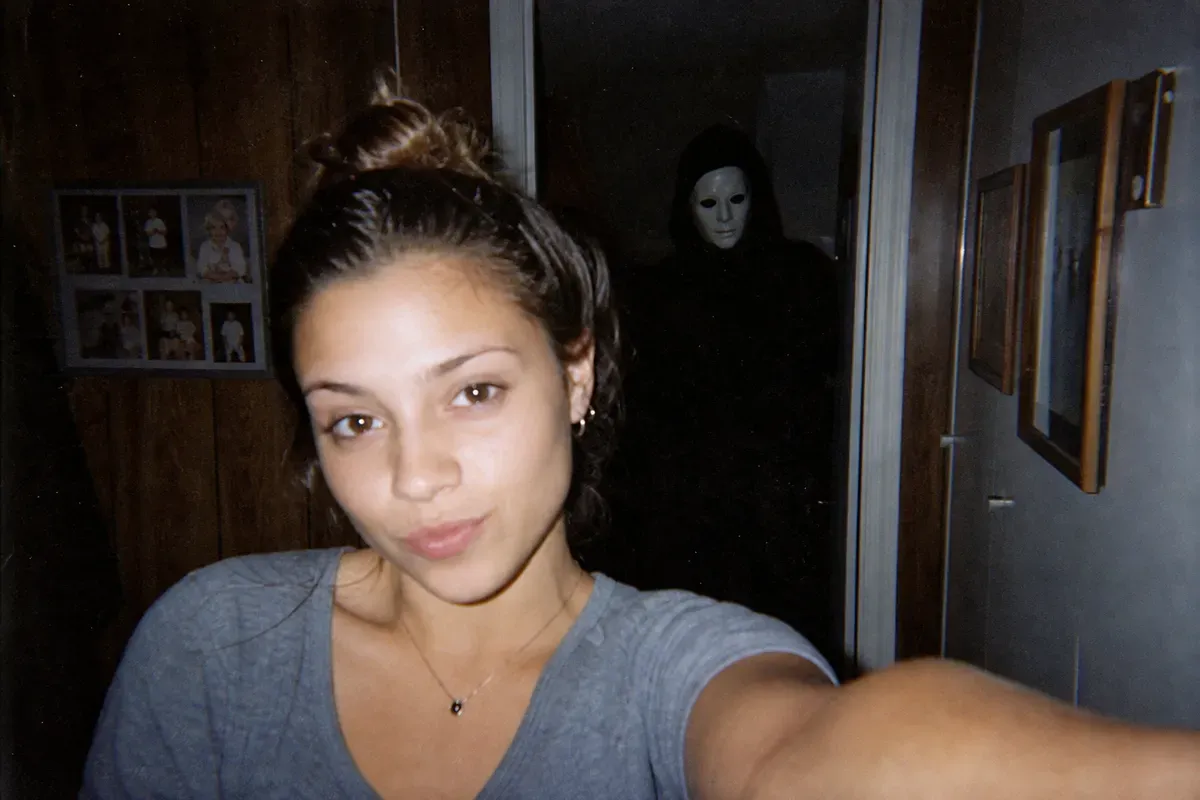
AI-generated example (fictional person, text-to-image). Results from your own photo will differ.
Attach a clear, front-facing selfie, then paste this:
Turn the attached photo into a candid late-1990s horror movie still. Keep the person's face, features and pose from the attached photo. Setting: [a dim suburban hallway / a teenage bedroom / a kitchen at night], warm lamp light, wood paneling, a landline phone on a table. Wardrobe: [casual 90s clothing, e.g. an oversized flannel shirt]. In the background, a figure in a long black robe and a plain white ghost-style mask stands still in the doorway, slightly out of focus, as if it is watching. Camera and film quality: harsh on-camera flash, visible film grain, slightly underexposed, warm color cast, soft focus, 4:5 portrait crop. Avoid: gore, blood, weapons, logos, readable text, modern phones, studio lighting, airbrushed skin.
✅ Leading with the setting gives ChatGPT a scene to build, which lowers the chance of a refusal
✅ “Keep the person’s face from the attached photo” works better than re-describing your face
❌ Leave out gore, blood and weapons. Suspense reads as scarier than violence and gets blocked far less often
The Exact Gemini Prompt
Gemini is usually more permissive with real faces, so you can be more specific about the person and the photo style.
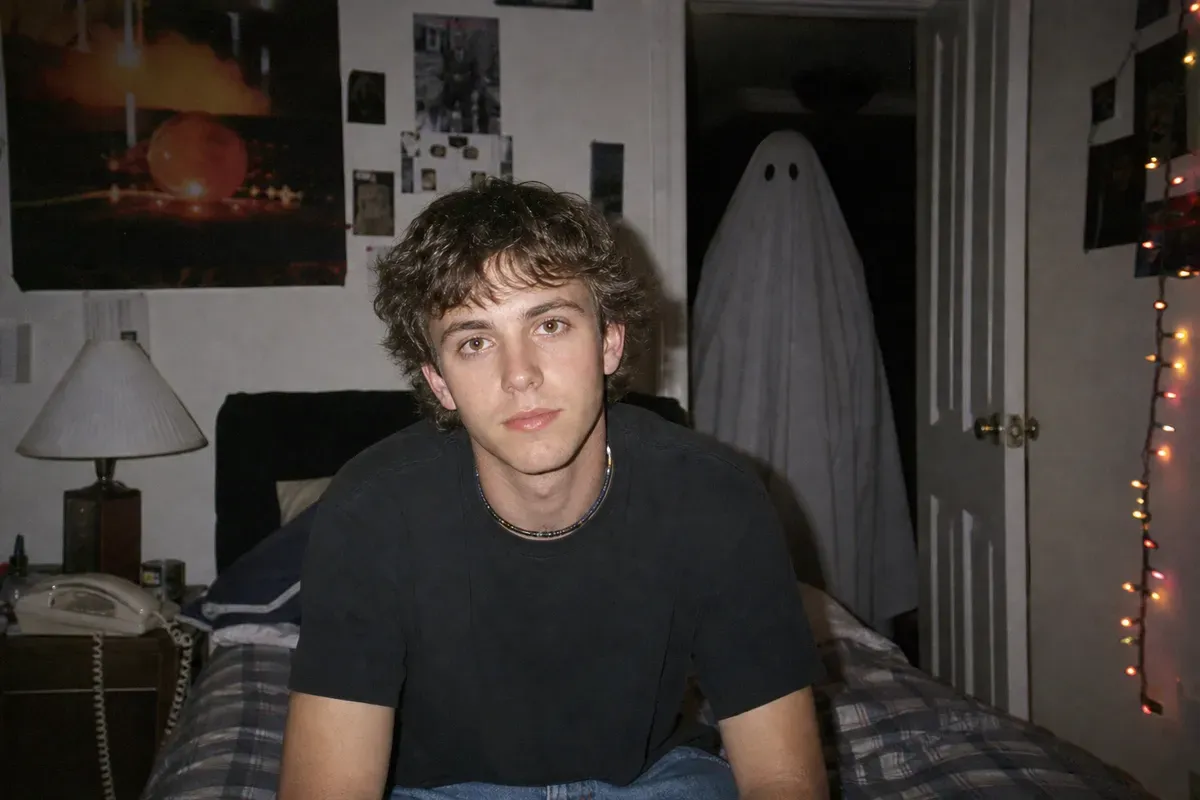
AI-generated example (fictional person, text-to-image). Results from your own photo will differ.
Attach a clear, front-facing selfie, then paste this:
Recreate this photo as a Y2K horror-movie flash photograph. Subject: [adult man / adult woman / adult], [skin tone and hair description], natural expression, [sitting on the edge of a bed / standing at a kitchen counter], holding [a corded landline phone / a cup of coffee]. Setting: [90s bedroom with posters and string lights / a quiet house at night], one lamp on, the rest dark. Background: a tall figure in a black hooded robe and a white ghost-style mask stands in the dark doorway behind the subject, only faintly lit. Camera and film quality: direct flash, grainy film texture, slightly soft focus, warm amber cast, small imperfections like dust and light leaks. Keep the face identical to the attached photo. Avoid: gore, logos, readable text, modern devices, airbrushed skin.
✅ Naming the lit and unlit parts of the room (lamp on, rest dark) gives the masked figure a believable place to hide
✅ “Keep the face identical” prevents the model from “improving” your features
❌ Do not add brand names or movie titles, generic descriptions work better and are safer
Six Variations to Try
Swap one line of either prompt for any of these. Change only one thing at a time so you can see what worked.
- Y2K flash. Add: “Point-and-shoot digital camera look, 2003, harsh flash, slightly blown highlights, compressed JPEG feel, timestamp in the corner.”
- VHS frame grab. Add: “Paused VHS tape frame, scan lines, tracking distortion at the bottom edge, muted colors.”
- Your own house. Replace the setting with a short description of your real hallway or living room: “narrow hallway, beige walls, shoe rack, a framed family photo, porch light through the front door glass.”
- Couple or friends. Attach a group photo of adults who agreed to take part, and add: “Keep every person’s face and position from the attached photo, with the masked figure standing behind the group.”
- Pet version. Attach a photo of your pet and add: “The pet looks calmly at the camera in the foreground, the masked figure blurry in the background, no harm or fear shown.”
- Costume version. Replace the background figure with the subject: “The person wears a black robe and a white ghost-style mask, hood up, standing on a dark porch with a carved pumpkin lit beside them.”
If you want more formats to borrow from, our list of 100 ChatGPT image prompts covers lighting and framing, and the 3D figurine trend uses the same scene-first idea.
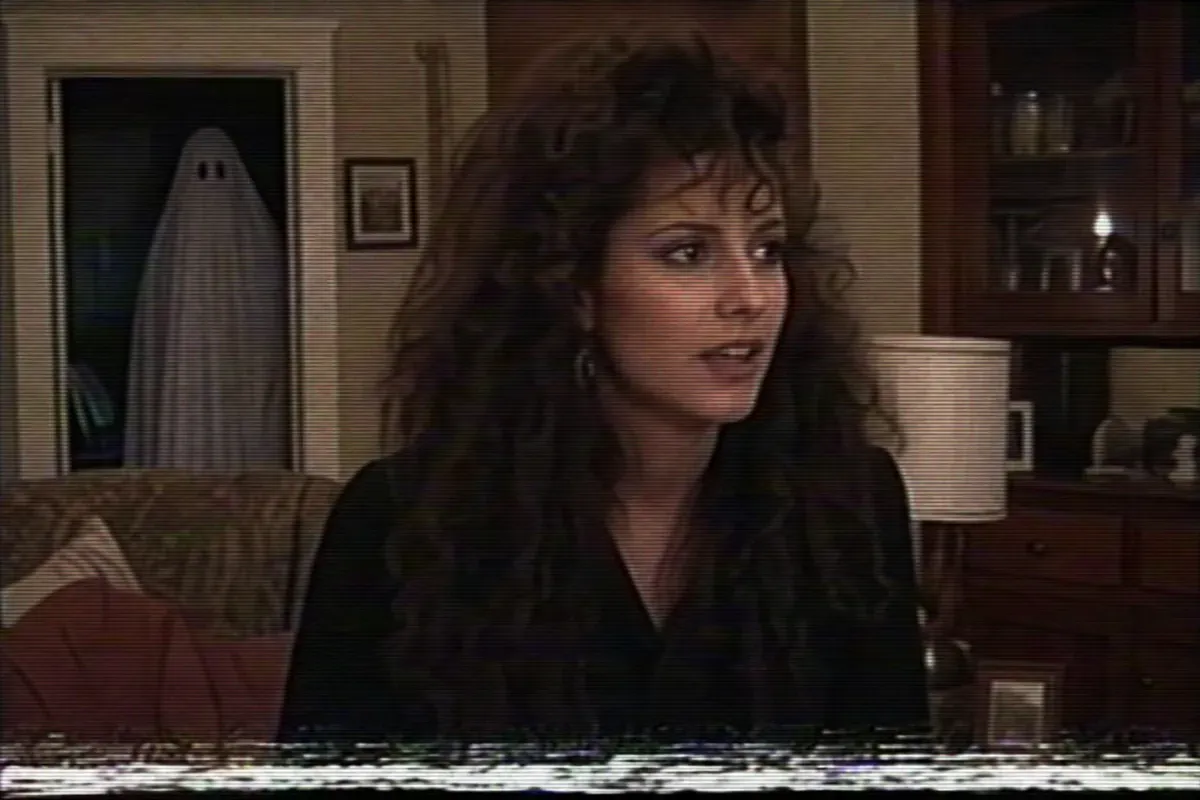
AI-generated example (fictional person, text-to-image). Results from your own photo will differ.
Tips to Avoid Refusals and Make It Look Real
- Start with a good selfie. Even lighting, a plain background and a front-facing angle give the model the most to work with.
- Say “underexposed” and “off-center.” Real flash photos from that era were rarely balanced or perfectly framed.
- Name one light source. “One lamp on, the rest dark” beats “spooky lighting.”
- Keep the horror implied. A silhouette in a doorway is both scarier and safer than anything graphic.
- Reword, do not repeat. If a prompt is refused, change the setting or remove the scariest word before trying again.
- Run it two or three times. Outputs vary even with identical wording, and the second attempt often nails the grain.
- Check the details. Look at hands, background text and the edges of the face, and regenerate if they look warped.
For tool-specific strengths, see the best AI image generators of 2026, and if you prefer a different engine, the Grok Imagine 2.0 prompt guide covers its formula.
Safety and Privacy
This trend involves your face, so a few ground rules are worth following.
- Use only photos of yourself, or of adults who clearly agreed. Do not upload photos of other people without permission.
- Do not use photos of children or other minors. Keep their faces out of image tools entirely.
- Never use the result to scare, harass or impersonate someone. A fake horror image of a real person sent to them is not a joke.
- Label it as AI-made. Add “AI-generated, Halloween” to the caption so nobody mistakes it for a real photo or a real threat.
- Think about where your photo goes. Check the privacy settings of the tool you use, and read our guide on how to protect your data from AI chatbots before uploading a face.
FAQ
Is the Ghostface AI photo trend free?
Both ChatGPT and Gemini offer free access to image generation, though limits and speed vary by plan and demand. Check your current plan for daily caps.
Why did ChatGPT refuse my prompt?
Most refusals come from graphic words or from describing a real face in detail. Lead with the scene, remove gore or weapon language, and rerun.
Which tool is better for this?
Gemini is generally easier with real faces, while ChatGPT does well when the prompt is scene-heavy. Try both with the same selfie.
Can I post the result?
Yes, as long as it is your own photo or people who agreed, and you label it as AI-made. Do not use it to frighten or target anyone.
Sources
- Google: Try these tips and prompts for spooky AI images
- Dhanuk Softwares: Gemini Ghostface AI photo trend Halloween guide
- Miraflow: AI Halloween prompts 2026, Ghostface costume portraits
Related Reading
- 90s AI Photo Trend: Exact Prompts for Gemini and ChatGPT
- The 3D Figurine AI Trend on ChatGPT: The Exact Prompt That Works
- 100 ChatGPT Image Prompts I Actually Use Instead of Generic AI Photos
- Best AI Image Generators 2026: 7 Tools Leading Right Now [Sept Update]
- Grok Imagine 2.0 Prompts: The Formula That Actually Works