
Security
How to Detect Deepfakes in 2026: 12 Checks and 6 Free Tools That Work
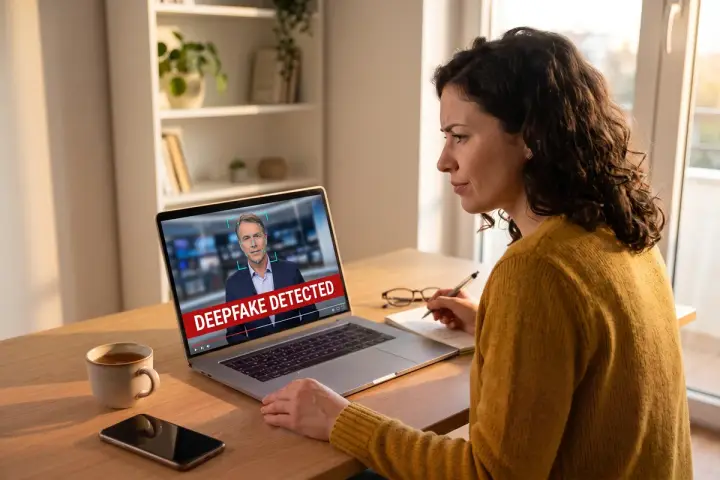
A clip of a politician saying something outrageous hits your group chat. It looks real, it sounds real, and your thumb is already on the share button. Knowing how to detect deepfakes is what stops you there, and in 2026 it takes more than a quick look at someone’s eyes.
Here’s the uncomfortable part. In a February 2025 iProov study of 2,000 US and UK consumers, only 0.1% correctly sorted every real and fake image and video, even when told to look for fakes. People were 36% less likely to catch a fake video than a fake image, yet most rated their own skills above 60% confidence.
So this guide skips the myths. You’ll get the visual and audio tells that still work, the context checks that beat most detectors, and six tools you can actually open today, with honest notes on what each one misses.
Why Your Eyes Alone Won’t Catch a Deepfake Anymore
Most “spot the fake” advice online dates from 2020. Back then, early face-swap models barely blinked, so “count the blinks” became the famous tip. Current generators blink just fine. If a guide still leads with that test, it’s out of date.
The stakes also moved from pranks to money. In February 2024, an employee at engineering firm Arup in Hong Kong wired about $25.6 million after a video call where the “CFO” and colleagues were all deepfakes. And in December 2025, the FBI warned that criminals keep impersonating White House and Cabinet-level officials with AI-generated voice messages.
📊 The takeaway: treat visual tells as clues, not proof. Combine them with context checks and at least one tool before you decide.
How to Detect Deepfakes by Looking: 6 Visual Tells
Pause the video and scrub through it frame by frame. Artifacts hide in motion, so a still thumbnail tells you almost nothing.
1. Watch the edges when the head turns
Face swaps still struggle where the face meets everything else. Look at the jawline, ears, and hairline during fast turns or profile shots.
❌ Jaw or chin that wobbles or smears for a frame ❌ Earrings, glasses, or hair that flicker, vanish, or change shape ❌ A soft halo where the face meets the background
2. Check what happens when something crosses the face
Ask the person on a live call to wave a hand in front of their face or turn fully sideways. Deepfake overlays often glitch when a hand, microphone, or cup blocks part of the face.
3. Look at hands, teeth, and small details
The FBI’s December 2025 alert specifically lists “distorted hands or feet” and “unrealistic facial features” as warning signs.
❌ Extra, fused, or bending fingers ❌ Teeth that look like one white block ❌ Jewelry or buttons that change between frames
4. Compare skin and lighting across the frame
Real faces have pores, uneven tone, and shadows that match the room. Deepfaked faces often look smoother than the neck and hands.
✅ Shadows fall the same way on the face and the background ❌ Face looks airbrushed while the neck shows wrinkles ❌ Light on the face doesn’t match the window or lamp in the shot
5. Read any text in the background
Signs, name tags, screens, and lower-third captions are hard for generators. Warped letters or nonsense words give fully AI-generated scenes away fast.
6. Check the physics
AI video often breaks basic physics: objects melt into each other, liquids pour wrong, and people walk through furniture. Also watch for short clips stitched together with hard cuts, since many generators work best in short bursts.
Listen Closely: 3 Audio Tells of Voice Cloning
Voice cloning is now the most common way deepfakes reach people, through calls, voicemails, and voice notes.
7. Test the lip sync on hard consonants
Mute the video and watch the mouth on words with P, B, and M sounds. Lips should fully close. Then unmute and look for a lag between sound and movement.
8. Listen for missing “room”
Real recordings carry breathing, mouth clicks, and background noise. Cloned voices often sound flat, too clean, or oddly paced, with emotion that doesn’t match the words.
9. Watch for pressure and secrecy
Cloned-voice scams almost always push urgency: wire money now, keep this quiet, don’t call back. The FBI notes that attackers also use “minor alterations in contact information and names” to look legitimate.
Related: scammers use the same urgency playbook in the fake blue screen scam, and the defense is the same: slow down.
Context Checks That Beat Most Detectors
These three checks take under five minutes and catch more fakes than any single tool.
10. Trace the original source
If a world leader really said something shocking, major outlets and the person’s verified accounts will carry it within minutes. A clip that only exists on reposts and anonymous accounts is a red flag.
❌ No official statement from the person or their office ❌ No coverage from established news outlets ❌ Earliest upload comes from a brand-new account
11. Run a reverse search on key frames
Screenshot two or three frames and run them through Google Lens or TinEye. You’ll often find the original footage, where the person said something completely different. The free InVID-WeVerify browser plugin can pull keyframes from a video for you.
12. Run the emotion test
If a clip makes you furious or scared in the first five seconds, stop. Viral fakes target emotion because angry people share before they verify. Ask whether the claim fits what you know about the person, then go back to checks 10 and 11.
Best Free Tools for Detecting Deepfakes in 2026
No detector is 100% accurate, and most only catch certain types of fakes. Use them to confirm a suspicion, never as the only evidence.
Gemini app (SynthID + Content Credentials)
Upload a file to Gemini and ask, “Was this generated using Google AI?” Gemini scans for Google’s invisible SynthID watermark in images, video, and audio, and since December 2025 it can tell you which segments of a video carry it. It also reads C2PA Content Credentials.
✅ Free, and it points to specific seconds of a clip ❌ SynthID only catches content from Google AI tools ⏱️ Videos under 90 seconds, files up to 100 MB, about 10 checks per type per day
Adobe Content Authenticity (Inspect)
Adobe’s Inspect tool and Chrome extension read Content Credentials, the tamper-evident label that shows who made a file, how, and whether generative AI was involved. Adobe says uploaded files aren’t stored.
✅ Shows creation history when credentials exist ❌ Tells you nothing if the credentials were never added or got stripped 💰 Free, currently in beta
Hive AI Detector (Chrome extension)
Hive’s free extension checks text, images, audio, and video on the page you’re viewing, and for images and video it guesses which generator made the content. No login needed.
✅ Fast checks right inside your browser ❌ The Chrome Web Store listing shows the last update in January 2025, so newer generators may slip through
Deepware Scanner
Deepware offers a free web scanner built for one job: flagging face-manipulated videos.
✅ Free and simple, with an API for developers ❌ Video only, focused on face swaps rather than fully generated scenes
Reality Defender (free API tier)
Reality Defender opened a free tier in July 2025 with 50 detections per month. At launch it covered audio and images, with video listed as coming soon.
✅ Enterprise-grade models for developers, journalists, and OSINT researchers ❌ Built as an API, so casual users face a learning curve
Sensity AI
Sensity targets governments, law enforcement, and forensic investigators, with court-ready reports across video, image, and audio. It claims 98% accuracy on public datasets.
✅ The most thorough forensic reporting on this list ❌ No free plan or consumer version listed, so this one is for organizations
Deepfake Detection Tools Compared
| 🛠️ Tool | 🎯 What It Checks | 📁 Media | ⏱️ Limits | 💰 Cost | ⚠️ Blind Spot |
|---|---|---|---|---|---|
| Gemini appSynthID + Content Credentials | |||||
| Best First Check | Invisible Google AI watermark, flagged by segment | 🖼️ 🎬 🎧 | Video under 90 sec, 100 MB max, about 10 checks per type per day | Free | Only detects content made with Google AI |
| Adobe Content AuthenticityInspect tool + Chrome extension | |||||
| Best for Origin | Content Credentials: creator, edits, AI use | 🖼️ 🎬 🎧 | Beta; uploads not stored | Free | Useless if credentials are missing or stripped |
| Hive AI DetectorChrome extension | |||||
| Best in Browser | AI-generated content, plus likely generator | 📝 🖼️ 🎬 🎧 | No login required | Free | Last listing update January 2025 |
| Deepware ScannerWeb scanner + API | |||||
| Face-Swap Video | Face manipulation in video | 🎬 | Web upload, no limits published | Free | Video only; built for face swaps |
| Reality DefenderPublic API, free tier | |||||
| Best for Developers | Enterprise deepfake models via API | 🖼️ 🎧 (video announced) | 50 detections per month | Free tier | API setup needed; not a consumer app |
| Sensity AIWeb app, API, SDK | |||||
| Best Forensics | Pixel, voice, and metadata forensics with reports | 🖼️ 🎬 🎧 | Cloud or on-premise | Custom quote | No free or consumer plan listed |
Data as of September 2026, from each vendor’s official pages. Sensity’s 98% figure is a vendor claim on public datasets. No detector is 100% accurate, so combine tools with source checks and reverse image searches.
What Happened to the Tools You’ve Heard Of
Older guides keep recommending tools you can’t use. Here’s the reality check.
❌ Microsoft Video Authenticator: announced in September 2020 for the US election and shared with partner organizations, never released as a public download. ❌ Intel FakeCatcher: a real detector that reads “blood flow” color changes in facial pixels, with a 96% accuracy claim from Intel’s 2022 launch. It targets platforms and newsrooms on Intel servers, not home users. It is not the same thing as Intel’s OpenVINO toolkit. ❌ Visible watermarks: OpenAI stamped Sora 2 videos with a moving watermark, and removal tools appeared within a week of its September 2025 launch. The Sora app shut down in April 2026, but those clips still circulate.
Voice Call From “Family”? Use These Steps
Video gets the headlines, but cloned voices on the phone hit more people. The FBI recommends three moves: Limit what scammers can learn about you by following how to protect your data from AI chatbots.
✅ Hang up and call back on a number you already know ✅ Agree on a secret word or phrase with family members ✅ Never share one-time codes, even when the request sounds official
Related: voice clones come from the same tech behind AI voice generators, so knowing how they work helps you hear their limits.
Your 60-Second Deepfake Checklist
Run through this before you share, pay, or reply:
✅ Did I scrub frame by frame for edge glitches, hands, and text? ✅ Do the lips close on P, B, and M sounds? ✅ Does the clip exist on the person’s verified account or major outlets? ✅ Did a reverse image search turn up the original footage? ✅ Did Gemini, Adobe Inspect, or Hive flag anything? ✅ If it’s a call asking for money, did I hang up and call back?
If any answer worries you, don’t share. Report the clip on the platform instead. For fraud, file a report at ic3.gov.
FAQ
What is the easiest way to detect a deepfake?
Check the source first. Search for the clip on the person’s verified accounts and on major news sites, then reverse-search a few frames with Google Lens. Free tools like Gemini’s SynthID check and Adobe Inspect add a second layer. Visual tells help, but context checks catch more fakes.
Can AI detectors spot every deepfake?
No. Every detector misses some fakes and flags some real videos. Watermark tools like SynthID only recognize content from Google AI, and Content Credentials fail when the label is missing or stripped. Use detectors to support your judgment, alongside source checks and reverse image searches.
Do deepfakes still fail to blink?
Not anymore. The blinking tell came from early 2018-era face-swap models trained on photos with few closed eyes. Modern generators blink naturally, so the test gives false confidence. Focus on face edges during head turns, hands, background text, and lip closure on P, B, and M sounds.
How can I tell if a phone call uses a cloned voice?
Listen for flat tone, odd pacing, and missing background sound, but don’t rely on your ears alone. Hang up and call the person back on a number you already know. The FBI also recommends a family safe word and never sharing verification codes during unexpected calls.
Is there a free deepfake detector for videos?
Yes. The Gemini app checks videos under 90 seconds for Google’s SynthID watermark, Deepware Scanner flags face-swapped videos, and Hive’s Chrome extension checks video on web pages. Each covers a different type of fake, so run a suspicious clip through more than one.
The Bottom Line: Verify First, Share Second
Learning how to detect deepfakes in 2026 comes down to layers. Your eyes catch the sloppy fakes. Source checks and reverse searches catch the viral ones. Tools like Gemini, Adobe Inspect, and Hive catch some of the rest.
No single step is enough, and that’s fine. Pick two checks from this guide and make them a habit this week. Next time a shocking clip lands in your feed, you’ll be the person who checks before sharing. Want to see what the fakers are working with? Read our guide to the best AI video generators of 2026.
Sources
- TechCrunch: Google rolls out fake call detection to protect against AI deepfake impersonation scams
- BleepingComputer: Google adds Android protection against AI deepfake scam calls