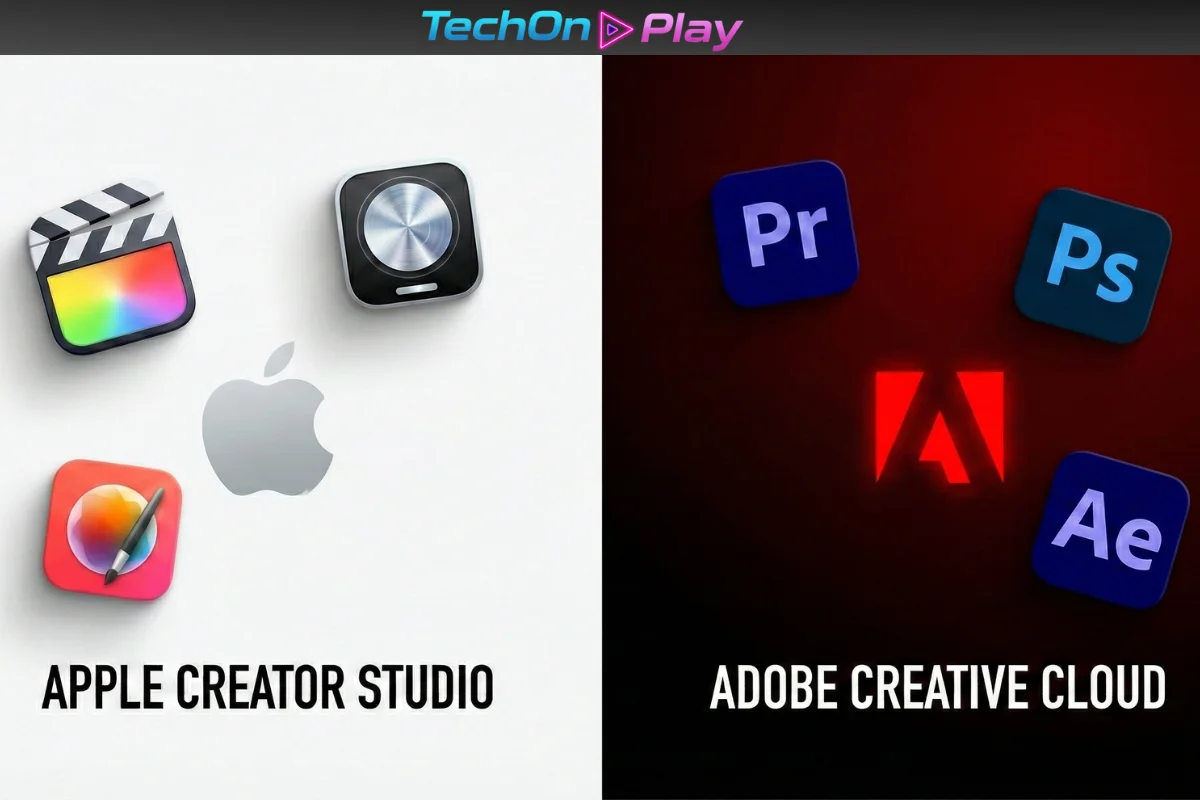
Apple just dropped a subscription bundle that’s turning heads in the creator community. The new Apple Creator Studio launches January 28, 2026, at $12.99/month—roughly five times cheaper than Adobe Creative Cloud Pro’s $69.99/month price tag.
For newcomers drowning in Adobe’s notorious learning curve, this isn’t just about saving money. It’s about getting studio-grade tools that don’t require a film school degree to use.
The bundle packs Final Cut Pro, Logic Pro, Pixelmator Pro, Motion, Compressor, and MainStage into one subscription, with AI-powered features sprinkled across Keynote, Pages, and Numbers. Apple is betting that beginners will choose simplicity over Adobe’s industry dominance. But does the math actually work for creators in 2026?
Here’s what you need to know before the Adobe vs. Apple debate reshapes your workflow.
📦 What’s Inside the $13 Bundle
Apple Creator Studio includes six professional-grade apps that cover video editing, music production, photo editing, motion graphics, and export customization.
Core Apps:
- Final Cut Pro (Mac/iPad): 4K video editing with the Magnetic Timeline.
- Logic Pro (Mac/iPad): Music production with Session Players and AI voice beat detection.
- Pixelmator Pro (Mac/iPad): Photo editing with Super Resolution and AI selection tools.
- Motion (Mac): 2D/3D motion graphics with Magnetic Mask for green screen-free compositing.
- Compressor (Mac): Custom export presets for Final Cut Pro.
- MainStage (Mac): Live performance tool for musicians.
Bonus Content: Subscribers get premium templates, AI-powered design suggestions, and a Content Hub with stock graphics for Keynote, Pages, Numbers, and Freeform. Students pay just $2.99/month ($29.99/year), and Family Sharing lets you split one subscription across six accounts.
💰 Price Breakdown: Apple vs Adobe in 2026
| Feature | 🍎 Apple Creator Studio | 🔴 Adobe Creative Cloud |
|---|---|---|
| Monthly | $12.99 | $69.99 |
| Annual (prepaid) | $129 | $779.99 |
| Student pricing | $2.99/month | $39.99/month (renewal) |
| Apps included | 6 pro apps + iWork AI | 20+ apps (Photoshop, etc.) |
| Free trial | 1 month | 7 days (typical) |
The savings: Over one year, Apple costs $155.88 for regular users ($129 + 1 month trial). Adobe charges $839.88 annually. That’s a $684 difference. For those in the education sector, the gap widens further: Apple’s $35.88/year vs. Adobe’s $479.88.
⚡ Why Beginners Choose Final Cut Pro Over Premiere
The learning curve gap is real. Final Cut Pro’s Magnetic Timeline automatically closes gaps when you delete clips—no awkward spaces or manual track adjustments. Adobe Premiere Pro uses a traditional track-based timeline that offers granular control but overwhelms beginners with nested sequences and complex menu structures.
Final Cut Pro advantages:
✅ Faster onboarding: Intuitive workspace that mirrors iMovie’s logic.
✅ Automatic organization: Smart Collections and AI-powered media search.
✅ One-time purchase option: Still available separately at $299 (no subscription required).
Adobe Premiere Pro’s trade-off:
❌ Steeper learning curve: Mastering core features takes months.
❌ System demands: Requires high-end hardware for smooth 4K editing.
❌ Subscription fatigue: No escape from monthly payments.
Multiple Reddit users report switching from Final Cut Pro to DaVinci Resolve (not Premiere) specifically to avoid Adobe’s complexity and cost. The pattern? Beginners want tools that teach editing fundamentals, not software navigation.
🛑 Where Adobe Still Wins (For Now)
Apple’s bundle has strategic gaps. After Effects remains unmatched for VFX work—Motion can’t replicate its plugin ecosystem. Photoshop’s Generative Fill (via Adobe Firefly AI) creates assets from text prompts, while Pixelmator Pro lacks comparable generative AI.
Critical Adobe advantages:
- 📊 Team collaboration: Cross-platform file sharing and Windows support.
- 🎨 AI generation: Firefly creates backgrounds and removes objects.
- 🔌 Plugin library: Thousands of third-party extensions vs. Apple’s limited add-ons.
If your workflow demands After Effects or Photoshop’s AI magic, Adobe remains essential. But for solo creators building YouTube channels or social media content, Apple’s simplicity-first approach handles 90% of tasks at 20% of the cost.
🔒 The Apple Ecosystem Lock
There’s one non-negotiable requirement: you must own Apple hardware. Creator Studio runs exclusively on Mac, iPad, and iPhone. If you collaborate with Windows users or rely on NVIDIA drivers for rendering, this bundle won’t work.
Adobe Creative Cloud runs on macOS, Windows, iPad, and even Chromebook. Apple’s bet is that creators already living in the iPhone-MacBook-iPad ecosystem won’t mind the constraint.
🏆 Who Should Buy Apple Creator Studio?
Choose Apple Creator Studio if:
- You’re learning video editing or music production for the first time.
- You own a Mac/iPad and don’t need Windows compatibility.
- You’re a student (check student AI tools here)—$2.99/month is unbeatable.
- You prioritize speed over team collaboration.
Stick with Adobe Creative Cloud if:
- You need After Effects, Photoshop’s Generative AI, or Illustrator.
- You work in teams sharing files across platforms.
- You’re already fluent in Adobe’s ecosystem.
The wild card? Logic Pro. It’s a far superior music creation tool compared to Adobe Audition, making Creator Studio the obvious choice for musicians who also edit video.
❓ Frequently Asked Questions (FAQ)
1. Can I use Apple Creator Studio on Windows?
No. This bundle is exclusive to the Apple ecosystem. All included apps (Final Cut Pro, Logic Pro, Pixelmator) require macOS or iPadOS. If you need cross-platform compatibility for Windows or Chromebooks, Adobe Creative Cloud remains the industry standard.
2. Is Final Cut Pro still available as a one-time purchase?
Yes. Apple has kept the perpetual license option for $299. However, the $12.99/month bundle is financially smarter if you also need Logic Pro ($199) and Motion ($49), as buying them individually would cost over $500 upfront.
3. Does the $2.99 student plan include all apps?
Absolutely. The student tier gives you full access to all 6 pro apps (Final Cut, Logic, Pixelmator, etc.) plus the AI features for iWork. There are no feature restrictions compared to the standard plan, making it roughly 90% cheaper than Adobe’s student offering.
4. Is Pixelmator Pro a real alternative to Photoshop?
For 90% of creators, yes. Pixelmator Pro handles layers, masking, and AI image editing effortlessly. However, it currently lacks a direct competitor to Photoshop’s Generative Fill (Firefly), which is crucial for advanced compositing work.
Sources
- RedShark News – Apple Creator Studio Explained: Features, Pricing, and Apple’s Push
https://www.redsharknews.com/apple-creator-studio-features-pricing-analysis - Apple Insider – Adobe raises Creative Cloud prices, rebrands
https://appleinsider.com/articles/25/05/20/adobe-hikes-creative-cloud-prices-with-a-rebrand-no-one-asked-for - MacRumors – Apple Introduces New ‘Creator Studio’ Bundle of Apps
https://www.macrumors.com/2026/01/13/apple-creator-studio/ - Digit – Apple Creator Studio vs. Adobe Creative Cloud
https://www.digit.in/features/general/apple-creator-studio-vs-adobe-creative-cloud-which-creative-bundle-is-best-for-you.html - Boris FX – Final Cut Pro vs Premiere Pro: Head-to-Head Guide
https://borisfx.com/blog/final-cut-pro-vs-premiere-pro-head-to-head/