
Guides
AI Voice Generators for Viral Content: The 2026 Guide [ElevenLabs v3]
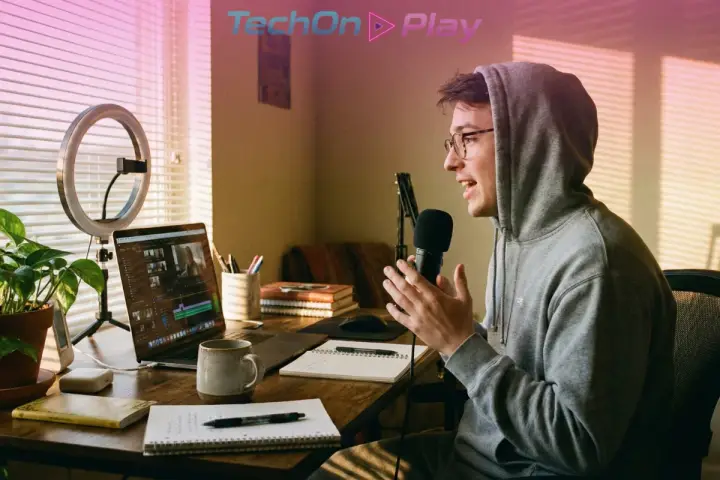
Your video has sharp visuals and a script that lands every beat. The narration still sounds like a GPS reading directions from 2010.
That gap kills watch time in the first ten seconds. AI voice generators now close it completely, and the tools changed more in the last six months than in the two years before that.
This guide covers the three ways creators actually use AI voice generators today, ranks the tools worth paying for as of September 2026, and shows the audio tag tricks that turn flat narration into something that sounds directed, not dictated.
[Update, October 4, 2026: ElevenLabs released v4 on September 28, with more expression control and support for 90 languages. The Audio Tag advice below was written for v3 and still applies in spirit, but check ElevenLabs’ documentation for v4 tag syntax before you rely on it.]
Why AI Voice Generators Now Beat Hiring a Narrator
Audio carries more of a video’s watch time than most creators admit. A narrator who sounds bored, rushed, or robotic loses viewers before the visuals get a chance to work.
Neural voice models closed that gap this year. The 2026 generation reads a full script for context before generating, so a line lands as sarcastic, tense, or relieved based on what surrounds it, not just the words inside it.
✅ Consistent output, no bad takes to re-record ✅ Emotional direction through inline tags, not guesswork ✅ 70+ languages with native-sounding accents ✅ No studio, mic, or acoustic treatment required ✅ Iteration in seconds instead of a callback to a voice actor ✅ Scales from one video to three hundred without a new invoice each time
For a creator going from zero to a million views, that last point matters most. Human narration does not scale. AI voice generators do.
What Changed Since Last Year
Three shifts reshaped the field between March and September 2026:
📅 March 14: ElevenLabs pushes v3 to general availability, adding Audio Tags and a Dialogue API for multi-speaker scripts 📅 May 14: Speechify’s Simba 3.0 cracks the global top 10 on the Artificial Analysis Speech Arena leaderboard at roughly a tenth of ElevenLabs’ per-character cost 📅 July to September: Simba climbs to version 3.2, Google adds Gemini 3.8 Flash TTS, and Cartesia’s Sonic 3.6 takes the top overall Elo score
The Artificial Analysis Speech Arena now ranks Cartesia Sonic 3.6 first, Google Gemini 3.8 Flash TTS second, and Alibaba’s Qwen-Audio-3.0-TTS-Plus third. ElevenLabs, the name most people still associate with AI voice, does not appear in the current top 10 on raw blind-preference scoring.
📊 That does not make ElevenLabs a bad choice. The leaderboard measures naturalness in blind listening tests, not creative control. For scripted, emotionally directed content, Audio Tags still give ElevenLabs an edge the leaderboard does not capture.
The 3 Ways Creators Actually Use AI Voice Generators
Not every tool solves the same problem. Match the type to what you are actually building.
Neural Text-to-Speech: Fastest to Scale
Type text in, get a full performance out. This is the category most people mean by AI voice generators, and it covers ElevenLabs, Speechify, Google’s Gemini TTS models, and Murf.
Best for: YouTube explainers, TikTok scripts, audiobooks, and any project where you write first and never record your own voice.
✅ Generation in seconds, not hours ✅ Cheap per word, especially on API-first tools like Speechify ❌ Needs well-written tags to avoid sounding flat on long-form scripts
Speech-to-Speech: Keep Your Own Delivery
Record yourself on a laptop mic, and the model converts your take into studio-quality audio while keeping your pacing, pauses, and emphasis intact.
Best for personal-brand YouTubers and podcasters who want their actual voice, just cleaned up. Descript’s Overdub and ElevenLabs’ speech-to-speech mode both work this way.
✅ Keeps your real timing and personality ❌ You still have to record something first, so it will not fix a script you never read aloud
Voice Cloning: A Signature Sound for the Brand
Train a model on a voice sample, then reuse that exact voice across every future video without re-recording anything.
Best for branded series and channels where consistency matters more than novelty, since every episode sounds like it came from the same narrator.
✅ Instant brand recognition across a whole catalog ❌ Needs clean training audio and, on most platforms, consent documentation before cloning someone else’s voice
The Best AI Voice Generators for 2026
Pricing and quality shifted enough since last year that a straight comparison is overdue.
| 🎙️ Tool | 📅 Updated | 🎯 Best For | 📊 Leaderboard Position | 🆓 Free Tier | 💰 Paid Pricing |
|---|---|---|---|---|---|
| ElevenLabs v3Audio Tags + Dialogue API | |||||
| Best Emotional Control | GA Mar 14, 2026 | Per-line emotional direction, multi-speaker scripts | Not in current top 10 | 10k credits/month | Starter $6, Creator ~$22, Pro $99, Scale $299, Business $990/mo |
| Speechify Simba 3.2Streaming-native API | |||||
| Best Budget / Scale | Jul 2026 (from 3.0 in May) | High-volume script-to-voice, cheapest per character | #5 · Elo 1237 | Free trial only | ~$10 per million characters |
| Google Gemini 3.8 Flash TTSGemini API | |||||
| Best If On Google Stack | Sep 2026 | Teams already building on Gemini / Google Cloud | #2 · Elo 1260 | Free tier via Gemini API | Usage-based, no separate consumer plan |
| Murf AIStudio + voice cloning | |||||
| Best All-in-One Studio | 2026 pricing | Teams wanting an editor, not just a model | Not on Speech Arena | 10 min total | Creator $29, Business $99/mo (annual: $19 / $66) |
| Descript (Overdub)Editing + speech-to-speech | |||||
| Best For Podcasters | 2026 pricing | Cleaning up your own recorded voice inside an editor | Not on Speech Arena | 1 hour/month | Hobbyist $16, Creator $24, Business $50/mo |
Data as of September 2026. Leaderboard positions and Elo scores come from the Artificial Analysis Speech Arena (artificialanalysis.ai), a blind-preference ranking of raw voice naturalness, not of editing features or emotional-tag control. Prices and free-tier limits change often, so check each vendor before subscribing.
ElevenLabs v3 remains the pick for anything that needs per-line emotional direction. Audio Tags like [whispers], [laughs], and [hesitant] read the surrounding sentence for context, and the Dialogue API handles multi-character scripts in one pass. It costs more per character than almost anything else on this list, and it is not built for real-time use. ElevenLabs recommends its faster Flash v2.5 model for live agents instead.
Speechify Simba 3.2 is the value play. At roughly $10 per million characters, it undercuts ElevenLabs by close to 10x while sitting fifth on the Speech Arena leaderboard, ahead of Google’s older Gemini 3.1 model.
Murf AI and Descript skip the raw-model race entirely and sell a finished workflow instead: a timeline editor, stock voices, and voice cloning bundled with video or podcast editing. Pick one of these if you want a single tool for editing and voiceover, not a model you plug into your own pipeline.
Two Models Worth Watching
Cartesia’s Sonic 3.6 now tops the Speech Arena at an Elo of 1273, ahead of every consumer-facing tool on this list. It ships as a developer API built for low-latency, real-time voice agents rather than pre-rendered video narration, so most creators will not touch it directly yet.
Google’s Gemini 3.8 Flash TTS sits second at 1260 and plugs straight into the Gemini API, which makes it worth a look if the rest of your content pipeline already runs on Google’s stack.
How to Direct Emotion With Audio Tags
This is where 2026-generation AI voice generators pull ahead of anything from two years ago. Bracketed tags inside the script tell the model how to perform each line, not just what to say.
Useful tags to start with:
✅ [whispers] – intimate, quiet delivery for secrets or tension ✅ [laughs] or [giggle] – natural laughter mid-sentence ✅ [rushed] – urgency, excitement, or panic ✅ [pause] – manual silence for comedic or dramatic timing ✅ [hesitant] or [stammers] – uncertainty, nervousness ✅ [flatly] – deadpan delivery for sarcasm or understatement
The same line reads completely differently depending on the tag. “This startup just raised $50M” delivered [flatly] sounds skeptical. The same sentence [excited] sounds like breaking news. Write the tag, and the model handles the rest.
Keep tags close to the words they should affect, and avoid stacking more than two per sentence. Overloaded scripts confuse the model and produce delivery that sounds erratic instead of directed.
Related: pair a directed voiceover with visuals from our guide to the best AI video generators of 2026 for a full AI-assisted production pipeline.
Real Creator Workflows That Actually Scale
A 10-minute YouTube explainer: write the script (2 to 3 hours), generate the voiceover with Audio Tags (5 minutes), edit visuals to match (3 to 4 hours). Total cost lands around $20 to $50 per video against $500-plus for a freelance voice actor.
Thirty TikToks in a week: batch-write short scripts (2 hours), generate every voiceover in one sitting (15 minutes), pair with stock or generated footage, publish on schedule. This volume is not realistic with human voice actors at any budget.
A weekly podcast: record a rough take on a laptop mic, run it through speech-to-speech to clean up the audio, publish. Listeners hear the actual host, not a synthetic replacement, and the whole process takes under 30 minutes.
If the visuals for any of these come from AI too, our breakdown of the best AI image generators 2026 covers the tools worth pairing with your narration.
Getting the Most Out of Your AI Voice Generator
Match pacing to cuts. Write shorter sentences than feels natural, and leave a beat for the edit to breathe. AI voice generators are fast, not psychic about your timeline.
Layer voices for pattern interrupts. Switch from a narrator voice to an excited voice for a highlight, then to a whisper for a twist. The tonal shift resets viewer attention and holds retention longer than a single flat voice ever will.
A/B test cheaply. Generate the same script in three different voices before committing. Testing costs pennies with AI voice generators, where it would cost hundreds with a human voice actor for every variant.
Match the model to the platform. Full-quality WAV output matters for YouTube and podcasts. TikTok and Shorts compress audio anyway, so a faster, cheaper model works fine there.
One more thing worth flagging: run any AI-narrated script through a read-through before publishing. Our guide to humanizing AI content covers the phrasing patterns that still tip listeners off, even with great delivery. Cloned voices also fuel scams, so learn how to detect deepfakes. For the other categories, see our AI tools by job guide.
FAQ
What is the best AI voice generator in 2026?
It depends on the job. ElevenLabs v3 leads on emotional control through Audio Tags. Speechify Simba 3.2 wins on price, at about a tenth of ElevenLabs’ cost per character. Cartesia’s Sonic 3.6 tops the raw quality leaderboard but targets real-time developer use, not video narration.
Is ElevenLabs still worth it if it is not on the leaderboard anymore?
Yes, for scripted content. The Speech Arena leaderboard measures blind naturalness preference, not creative control. ElevenLabs’ Audio Tags and Dialogue API still give the most precise per-line emotional direction of any consumer-facing tool, which matters more than raw Elo for narrated video.
Can I clone my own voice for free?
Most free tiers block voice cloning entirely. ElevenLabs, Murf, and Descript all reserve cloning for paid plans, and platforms increasingly require consent documentation before cloning a voice that is not your own, even on paid tiers.
Which AI voice generator is cheapest for scaling content?
Speechify Simba 3.2’s API runs about $10 per million characters, roughly a tenth of ElevenLabs v3 for the same volume. For creators publishing dozens of short videos a week, that difference adds up fast.
Do AI voice generators work for podcasts?
Yes, especially speech-to-speech tools like Descript’s Overdub. Record a rough take, clean it up automatically, and keep your own voice and pacing intact rather than replacing yourself with a fully synthetic narrator.
The Bottom Line
AI voice generators stopped being a shortcut in 2026. They are the standard now, and the gap between creators who use them well and creators who do not just widened.
Start with ElevenLabs v3 if emotional direction matters most, or Speechify Simba if you are optimizing for cost at scale. Either way, stop settling for flat narration.
Test one Audio Tag script this week and compare the retention against your last upload. The difference shows up faster than most creators expect.